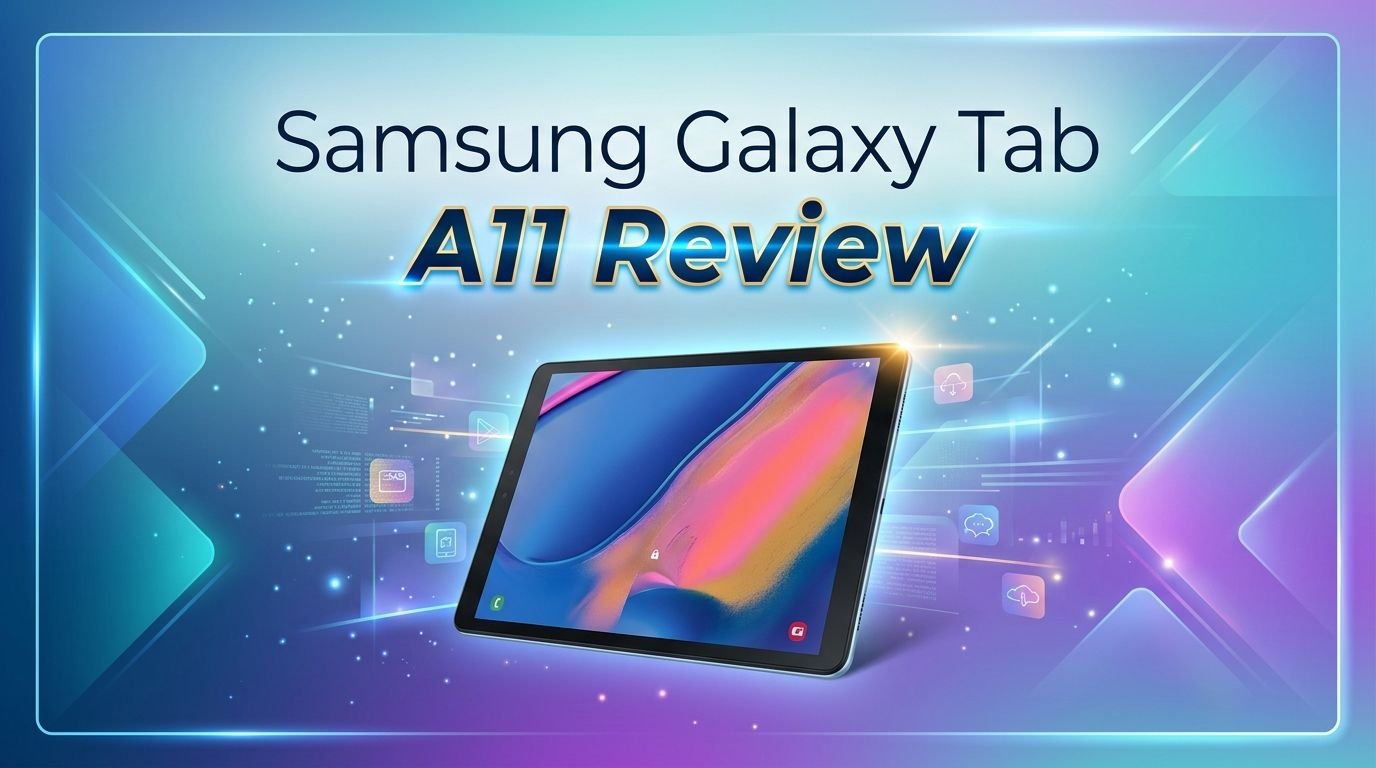
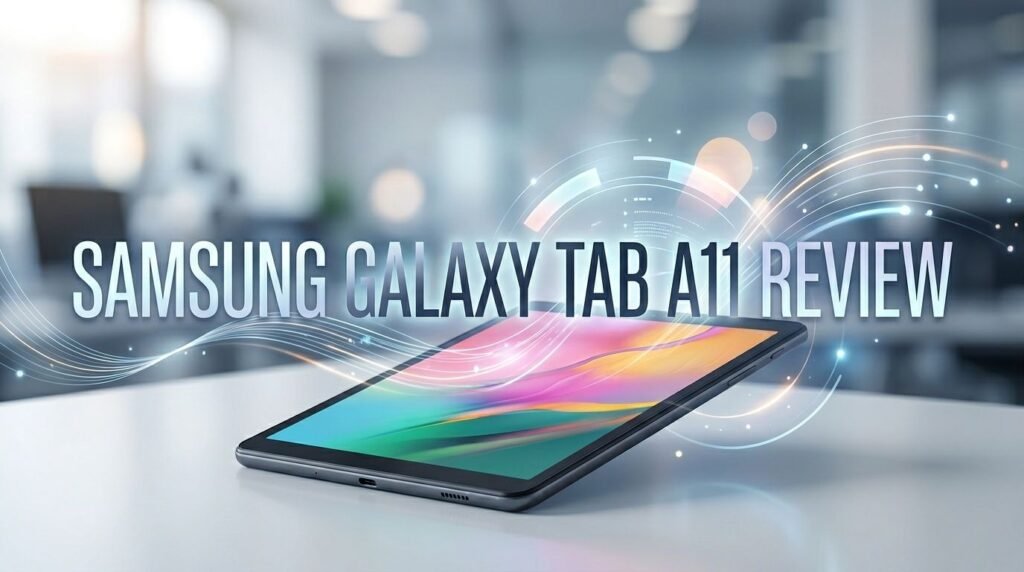
Samsung Galaxy Tab A11 Review 2026: Worth Your Money?
Are you searching for a budget tablet that does the basics right without burning a hole in your pocket? The Samsung Galaxy Tab A11 might be the answer.
Samsung released this compact 8.7-inch tablet in September 2025, and it has quickly become one of the most popular entry-level tablets on the market. It starts at around $170 and offers an impressive 7 years of software updates. That is almost unheard of at this price point.
But here is the real question. Does it actually perform well enough for daily use in 2026? The specs look modest on paper, and the display resolution has raised some eyebrows.
Key Takeaways
- The Samsung Galaxy Tab A11 is one of the most affordable Samsung tablets you can buy right now. It starts at roughly $170, and prices have already dropped below that at several retailers. For the price, you get a full Android experience with access to the Google Play Store.
- Samsung promises 7 years of Android updates and security patches. This is the longest software support you will find on any budget tablet in 2026. Competitors like Lenovo and Xiaomi offer only 2 to 3 years at this price range.
- The 8.7-inch display runs at 90Hz but only has an 800 x 1340 pixel resolution. This means smoother scrolling, but the screen is not as sharp as tablets with Full HD panels. You will notice pixelation up close.
- Performance is powered by the MediaTek Helio G99 chipset with 4GB of RAM. This is the same processor found in the older Galaxy Tab A9. Light tasks like browsing and streaming work fine, but heavy gaming and multitasking can feel sluggish.
- Battery life is solid at around 8 hours of HD video streaming. The 5,100mAh battery charges at 15W, which is slow but acceptable for a budget device.
- Storage starts at 64GB, which fills up fast. A microSD card slot lets you expand storage, but not all apps support installation on external cards.

Samsung Galaxy Tab A11 Design and Build Quality
The Samsung Galaxy Tab A11 looks almost identical to its predecessor, the Galaxy Tab A9. Samsung reused the same frame, dimensions, and port placement. The body uses a metal back panel that feels premium for the price.
At just 335 grams and 8mm thick, the Tab A11 is easy to hold with one hand. The slightly rounded edges provide a comfortable grip during long reading or streaming sessions. This is one of the few compact tablets still available on the market.
The color options include Gray and Silver. Both look clean and understated. The bezels around the display are thick by 2026 standards, but that is expected at this price point.
One missing feature is a fingerprint reader. There is no side-mounted or in-display scanner. Face unlock works through the front camera, but it is neither fast nor very secure. A PIN or password remains your best option for protection.
The build quality stands out as a genuine highlight. Samsung has delivered a tablet that feels more expensive than it actually is. You get USB-C charging, a 3.5mm headphone jack, and a dedicated microSD card slot all packed into this small frame.
Samsung Galaxy Tab A11 Display Performance
The display on the Galaxy Tab A11 measures 8.7 inches with a TFT LCD panel. Samsung bumped the refresh rate to 90Hz, up from 60Hz on the Tab A9. This makes scrolling through social media and web pages noticeably smoother.
However, the resolution remains at 800 x 1340 pixels. That translates to about 179 pixels per inch. You can see individual pixels if you hold the tablet close to your face. Text appears less crisp compared to Full HD tablets.
The maximum brightness hits around 500 nits. This makes the screen usable indoors and in well-lit rooms. Outdoor visibility is average at best. Direct sunlight washes out the screen significantly.
Color accuracy is decent but not impressive. Independent reviews noted that cheaper competitors like the Lenovo Tab One deliver darker blacks and more natural colors. This was a disappointing finding for a Samsung product.
For casual YouTube watching and social media browsing, the display does its job. For reading small text or viewing photos with fine detail, the low resolution becomes a clear drawback.
Samsung Galaxy Tab A11 Processor and RAM
The Galaxy Tab A11 runs on the MediaTek Helio G99 chipset. This is a 6nm octa-core processor with two Cortex-A76 cores clocked at 2.2GHz and six Cortex-A55 cores at 2.0GHz. The GPU is the Mali-G57 MC2.
Here is the problem. This is the exact same chip Samsung used in the 2023 Galaxy Tab A9. Benchmark tests show the Tab A11 is actually 5% slower in single-core and 7% slower in multi-core compared to the Tab A9 in Geekbench 6. That is a step backward.
The base model ships with 4GB of RAM. Higher-tier versions offer 6GB or 8GB. For basic tasks like email, browsing, and streaming, 4GB works. Multitasking with several apps open at once will cause noticeable slowdowns.
Initial setup can feel frustratingly slow. Apps may freeze or crash during the first few hours while the tablet completes background updates. Things improve after the initial setup period. Turning off animations in accessibility settings helps responsiveness.
For the price, the Helio G99 is an acceptable chip. But Samsung could have chosen a slightly newer processor to deliver at least a marginal performance improvement over its predecessor.
Top 3 Alternatives for Samsung Galaxy Tab A11
If the Galaxy Tab A11 does not check all your boxes, here are three excellent alternatives worth considering.
1. Amazon Fire HD 10 (2023)
This is Amazon’s flagship budget tablet. It offers a 10.1-inch Full HD display, which is larger and sharper than the Tab A11. The octa-core processor handles basic tasks well. The tradeoff is the Fire OS ecosystem, which is more limited than stock Android.

2. Lenovo Tab M11
The Lenovo Tab M11 gives you an 11-inch 1920 x 1200 display, which is a massive upgrade in screen real estate and sharpness. It also ships with a folio case and a stylus pen. The MediaTek Helio G88 processor provides similar performance to the Tab A11.

3. Samsung Galaxy Tab A11+ (Wi-Fi, 128GB)
If you want to stay in the Samsung family but need a bigger screen, the Tab A11+ offers an 11-inch FHD+ display with better speakers and a larger 7,040mAh battery. It starts at $249.99 and represents a solid upgrade.

Samsung Galaxy Tab A11 Storage Options
Storage is one of the biggest pain points of the Galaxy Tab A11. The base model starts at just 64GB. After the operating system, preinstalled apps, and Samsung bloatware, you have significantly less usable space.
Independent testers found that Genshin Impact refused to install on the 64GB model because the system flagged a “storage full” error. This happened on a brand-new tablet with almost nothing else installed. That gives you an idea of how tight the storage situation really is.
Higher-end models offer 128GB with 4GB, 6GB, or 8GB of RAM. If you plan to install more than a handful of apps, the 128GB version is the smarter choice. The price difference is usually small.
The dedicated microSD card slot is a lifesaver. You can add a microSD card for photos, videos, music, and documents. However, not all apps allow installation on external storage. Most games and large apps must stay on internal storage.
Samsung also includes some preinstalled apps like Block Blast, Monopoly GO, and Temu. You can uninstall them immediately to reclaim precious storage space. We strongly recommend doing this on the 64GB model.
Samsung Galaxy Tab A11 Battery Life and Charging
The Galaxy Tab A11 packs a 5,100mAh battery. That is a reasonable size for an 8.7-inch tablet. Samsung rates it for all-day use, and real-world tests confirm this claim.
In HD video streaming tests, the Tab A11 lasted about 8 hours at maximum brightness. That is enough for a full day of casual use. If you lower the brightness and stick to lighter tasks like reading, you can stretch battery life even further.
Charging speed is where things slow down. The Tab A11 supports 15W wired charging through USB-C. A full charge takes roughly 2 to 2.5 hours. There is no wireless charging, which is expected at this price.
Compared to competitors, the battery performance is competitive. The Lenovo Tab One lasts about 45 minutes longer under the same conditions. The Apple iPad Mini 7 falls behind significantly at just 5.5 hours.
For students, travelers, and casual users, the battery life is more than adequate. You can easily get through a day of mixed use without reaching for the charger. Just keep in mind the slow charging speed if you need a quick top-up.
Samsung Galaxy Tab A11 Camera Quality
The Galaxy Tab A11 has an 8MP autofocus rear camera and a 5MP front-facing camera. Neither camera is going to replace your smartphone for photos. But they serve their purpose.
The rear camera captures 1080p video at 30fps. Photo quality in good lighting is acceptable for document scanning, taking quick notes of whiteboards, or snapping a casual picture. Low-light performance drops sharply with noticeable grain and soft details.
The 5MP front camera handles video calls on Zoom, Google Meet, and Microsoft Teams without issues. The image is clear enough for meetings. Auto-focus keeps your face sharp even if you move around.
There is no flash on either camera. There are no advanced camera features like portrait mode, night mode, or 4K video recording. This is a budget tablet, and Samsung has kept the camera setup simple.
If you need a tablet primarily for video calls, the front camera does the job. For any serious photography or videography, you will want to use your phone instead.
Samsung Galaxy Tab A11 Software and Updates
The Galaxy Tab A11 launched with Android 15 and Samsung’s One UI. It has already received the Android 16 update in early 2026. Samsung’s commitment to 7 major Android upgrades means this tablet could receive updates through 2032.
That is a remarkable promise for a budget device. Most tablets under $200 from other brands stop receiving updates after 2 to 3 years. This long support window makes the Tab A11 a smart long-term investment, especially for families or schools.
Samsung’s One UI skin adds useful features like split-screen multitasking, a dedicated kids mode, and Samsung’s security tools. The interface runs smoothly for basic tasks, though heavier apps can cause occasional stuttering.
There is some bloatware preinstalled. Apps like Block Blast, Monopoly GO, and Temu come loaded on the device. Fortunately, you can uninstall all of them. We recommend doing this immediately to free up storage and reduce background resource usage.
The Google Play Store gives you access to the full Android app library. This is a major advantage over Amazon’s Fire tablets, which rely on the more limited Amazon Appstore. You get every popular app from Netflix to Microsoft Office without workarounds.
Samsung Galaxy Tab A11 Audio and Speaker Quality
The Galaxy Tab A11 features stereo speakers with Dolby Atmos support. For a budget tablet, this is a welcome addition. Dolby Atmos provides a wider soundstage compared to mono speakers.
The speakers deliver clear dialogue and vocals. YouTube videos, podcasts, and audiobooks sound good. You can hear every word without straining, even at moderate volume levels.
However, bass is virtually absent. Music genres that rely on low-end frequencies, like hip-hop and electronic music, sound thin and hollow. Movie soundtracks lose their impact without bass depth.
Maximum volume is also on the lower side. In a quiet room, the speakers work fine. In a noisy environment like a kitchen or a cafe, you will struggle to hear the audio clearly. Connecting Bluetooth headphones or using the 3.5mm jack solves this problem.
The included 3.5mm headphone jack is a nice touch. Many tablets in 2026 have removed this port. With the Tab A11, you can plug in wired headphones without needing a dongle or adapter. The audio output quality through the jack is clean and clear.
Samsung Galaxy Tab A11 Gaming Performance
Gaming is one of the weakest areas of the Galaxy Tab A11. The MediaTek Helio G99 and Mali-G57 GPU can handle simple games, but anything demanding will struggle.
Casual games like Clash Royale and Roblox run on high settings without major issues. Frame rates stay stable, and the gameplay is smooth enough. However, touch responsiveness is noticeably slower than what you get on a modern smartphone.
Heavier games tell a different story. Genshin Impact failed to install on the 64GB model due to storage limitations. Even with the 128GB variant, the GPU struggles to render complex 3D environments at playable frame rates.
The 3DMark Wildlife benchmark score is identical to the Galaxy Tab A9 from 2023. For context, the iPad Mini 7 scores roughly 1,100% higher in the same GPU benchmark. That gap is massive.
If gaming is a priority, the Tab A11 is not the right choice. The Amazon Fire HD 10 or the Samsung Galaxy Tab A11+ offer better gaming experiences at slightly higher price points. For casual puzzle games and light titles, the Tab A11 will manage just fine.
Samsung Galaxy Tab A11 Connectivity Features
The Tab A11 comes in two models: Wi-Fi only and LTE. The Wi-Fi model supports 802.11 a/b/g/n/ac dual-band connections. The LTE model adds cellular data for on-the-go browsing.
Bluetooth 5.3 is included and works reliably with wireless earbuds, keyboards, and mice. Pairing is quick and the connection stays stable during use. The A2DP and LE profiles ensure good audio streaming quality.
The LTE model includes GPS, GLONASS, BDS, Galileo, and QZSS satellite positioning. This makes it usable for navigation apps like Google Maps. The Wi-Fi-only model does not include GPS hardware.
There is no NFC and no 5G support. NFC is rarely needed on a tablet, but the lack of 5G means the LTE model is limited to 4G speeds. For basic browsing and email on cellular data, LTE is perfectly fine.
The USB-C 2.0 port handles data transfer and charging. Transfer speeds are not fast, but they are sufficient for moving files, photos, and documents. An OTG adapter lets you connect USB drives and other accessories.
Samsung Galaxy Tab A11 for Students and Kids
The Galaxy Tab A11 is a strong option for students and children. The compact size makes it easy to carry in a backpack. The affordable price means less worry about accidental damage.
Samsung’s Kids Mode provides a safe, controlled environment for younger users. Parents can set time limits, restrict app access, and monitor usage. This feature comes built into the tablet at no extra cost.
For students, the tablet handles Google Classroom, Zoom, and Microsoft Office without problems. Taking notes, reading textbooks, and watching educational videos are all smooth experiences. The 7-year update promise means the tablet will stay current throughout most of a student’s school years.
The 3.5mm headphone jack is especially useful in classrooms and libraries. Students can listen to lessons or watch videos without disturbing others. No need for Bluetooth earbuds or dongles.
The main concern for student use is storage. The 64GB base model fills up quickly with school apps, textbooks, and offline content. The 128GB model or a microSD card is strongly recommended for academic use.
Samsung Galaxy Tab A11 Pros and Cons
Every tablet has strengths and weaknesses. Here is a clear breakdown of what the Galaxy Tab A11 does well and where it falls short.
The biggest pro is the 7-year software support. No other budget tablet matches this commitment. Your tablet stays secure and up to date for years. This alone makes it a standout choice for buyers who keep devices for a long time.
The build quality and compact design are impressive for the price. The metal back, slim profile, and light weight make it a pleasure to hold and carry. Samsung clearly put effort into the physical design.
On the downside, performance is disappointing. The recycled Helio G99 chip delivers no improvement over the 2023 Tab A9. Benchmark scores are actually slightly worse. Heavy apps and multitasking expose the processor’s limits.
The 800 x 1340 resolution is below average for 2026. Most competitors at this price offer at least Full HD panels. The visible pixelation is hard to ignore during extended reading sessions.
Storage starting at 64GB is too low. Many users will run into space issues within weeks. Samsung should have set 128GB as the base configuration.
Who Should Buy the Samsung Galaxy Tab A11?
The Galaxy Tab A11 is perfect for a specific type of buyer. If you want a small, affordable tablet for reading, streaming YouTube, and light browsing, this is an excellent choice. The long software support adds great value.
It works well as a secondary device alongside your phone. Use it for recipes in the kitchen, e-books on the couch, or video calls at your desk. It is not meant to replace a laptop or a high-end tablet.
Parents looking for a kid-friendly tablet should consider this device. The built-in Kids Mode, affordable price, and durable build make it a smart pick. If it breaks, the replacement cost is low.
Students on a tight budget will appreciate the Google Play Store access, long update support, and compact size. Pair it with a Bluetooth keyboard for basic note-taking during lectures.
This tablet is not for gamers, content creators, or professionals who need high performance. If you fall into those categories, look at the Galaxy Tab A11+, the iPad Mini 7, or Samsung’s Galaxy Tab S series instead.
Samsung Galaxy Tab A11 vs. Galaxy Tab A9
Many buyers wonder if the Tab A11 is a worthy upgrade over the 2023 Galaxy Tab A9. The short answer is no, not if you already own a Tab A9.
Both tablets use the same MediaTek Helio G99 processor. The RAM options are identical. The design, dimensions, and port placement are unchanged. Samsung essentially repackaged the Tab A9 with minimal updates.
The only notable upgrade is the 90Hz display refresh rate. The Tab A9 had a 60Hz panel. This makes the Tab A11 feel smoother during scrolling and navigation. However, if you disable animations to improve responsiveness, this advantage disappears.
Software support is the biggest differentiator. The Tab A11 gets 7 years of updates, while the Tab A9’s update window is shorter. If long-term software support matters to you, the Tab A11 wins.
For new buyers choosing between the two, the Tab A11 makes more sense if both are priced similarly. For existing Tab A9 owners, there is no reason to upgrade. Save your money for a more significant generational leap.
Final Verdict on the Samsung Galaxy Tab A11
The Samsung Galaxy Tab A11 is a competent budget tablet with one outstanding feature: 7 years of software updates. That commitment to long-term support elevates it above most competitors in the sub-$200 category.
The build quality is solid. The battery life is reliable. The compact form factor fills a gap in the market for small, portable tablets. For reading, streaming, and basic productivity, it gets the job done.
The downsides are real, though. The recycled processor, low-resolution display, and limited base storage hold it back from being a clear recommendation. Samsung played it safe with this release, and that is frustrating.
At $170 or less, the Tab A11 offers fair value. If the price drops to under $100 as expected, it becomes a no-brainer for anyone who wants a simple, reliable Android tablet. Watch for sales and bundles before making your purchase.
Frequently Asked Questions
Is the Samsung Galaxy Tab A11 good for watching movies?
The Tab A11 can handle movie streaming on Netflix, YouTube, and other apps. The 8.7-inch screen is small for an immersive movie experience. The stereo speakers with Dolby Atmos provide decent audio, but the low resolution and lack of bass limit the overall experience. Connecting headphones improves things significantly.
Does the Samsung Galaxy Tab A11 support S Pen?
No, the Galaxy Tab A11 does not support the S Pen or any active stylus. There is no pen digitizer built into the display. You can use a basic capacitive stylus for simple touch input, but it will not offer pressure sensitivity or palm rejection.
How long will the Samsung Galaxy Tab A11 receive updates?
Samsung has committed to 7 years of major Android updates and security patches for the Tab A11. This means the tablet should receive software support through approximately 2032. This is the longest update promise available on any budget tablet right now.
Can the Samsung Galaxy Tab A11 run Genshin Impact?
The 64GB model struggles to even install Genshin Impact due to storage limitations. The 128GB model may install the game, but performance will be poor due to the Helio G99 processor and Mali-G57 GPU. This tablet is not suitable for demanding 3D games.
Is the Samsung Galaxy Tab A11 better than the Amazon Fire HD 10?
Both tablets target the budget market but serve different needs. The Fire HD 10 has a larger 10.1-inch Full HD display and costs less during sales. The Tab A11 offers the full Google Play Store, longer software support, and a more compact design. Your choice depends on whether you prefer Amazon’s ecosystem or standard Android.
Does the Samsung Galaxy Tab A11 have expandable storage?
Yes, the Tab A11 has a dedicated microSD card slot that supports microSDXC cards. This lets you add extra storage for photos, videos, and documents. However, most apps and games must remain on internal storage and cannot be moved to the SD card.