Mous Backpack Review 2026: Is It Worth the Hype?
You know that sinking feeling when you realize your expensive laptop is floating around in your backpack with just a thin sleeve protecting it?
Or when you’re caught in unexpected rain and start panicking about your electronics? I’ve been there, and that’s exactly why I spent the last few months testing the Mous backpack to see if it lives up to the hype.
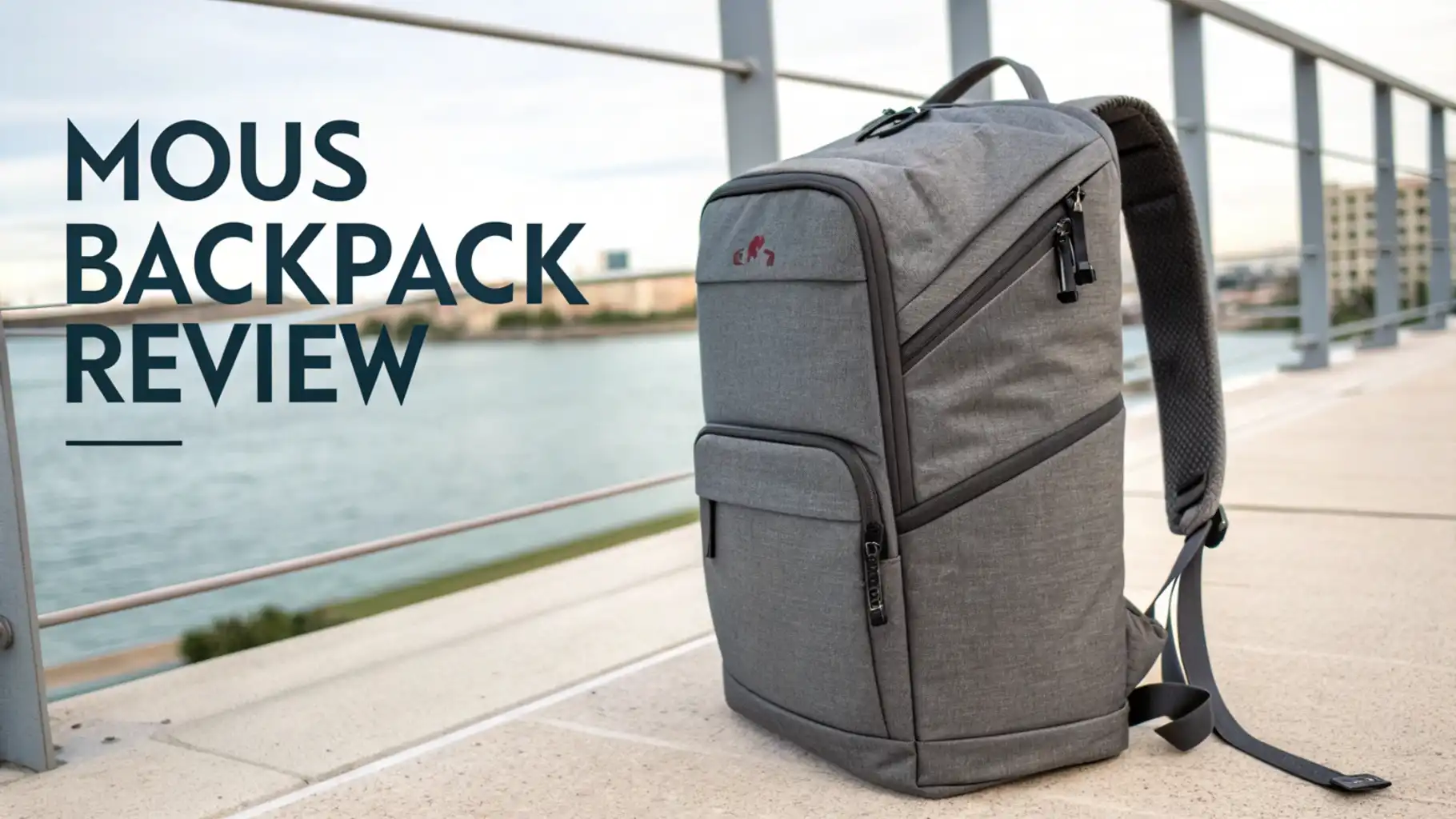
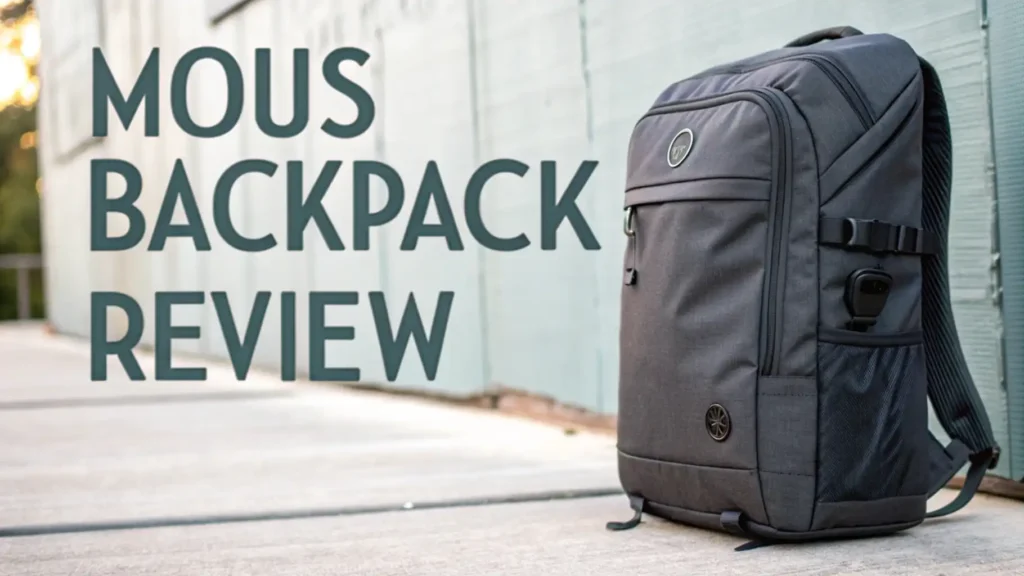
The Mous backpack has been making waves in 2026 as one of the smartest tech-forward bags on the market. This isn’t just another black backpack that looks like every other bag at the coffee shop.
Key Takeaways:
- Protection Level: This backpack features military-grade materials and AiroShock technology that protects your devices from drops up to 16 feet. Your laptop and tablet get dedicated padded compartments that actually make a difference.
- Weather Resistance: The water-resistant materials and sealed zippers keep your gear dry in unexpected rain. I tested this during several downpours, and everything inside stayed completely dry.
- Organization System: Multiple compartments include a quick-access pocket, tech organization panel, and hidden pockets for valuables. You won’t be digging around for your keys or phone anymore.
- Comfort Features: The ergonomic design includes padded shoulder straps and a breathable back panel that reduces sweating during long commutes or travel days.
- Durability Promise: Mous backs this backpack with premium materials that resist wear and tear. The zippers are chunky and smooth, and the fabric shows minimal signs of use even after months of daily carrying.
- Price Consideration: This backpack sits in the premium price range, typically between $150 to $250 depending on the model and sales. You’re paying for protection technology and build quality that cheaper bags simply don’t offer.

What Makes the Mous Backpack Different From Regular Backpacks
Let me be honest with you. The backpack market is completely saturated. Every brand from fashion companies to tech startups wants to sell you a bag. So what actually makes the Mous backpack worth your attention?
The biggest difference is the AiroShock technology that Mous originally developed for their phone cases. They’ve integrated this same protective system into the laptop compartment. This means your computer gets cushioned protection that absorbs impact from all angles. I’ve accidentally dropped this bag more times than I’d like to admit, and my laptop has survived without a scratch.
The materials feel different too. Mous uses a proprietary fabric blend that’s tougher than standard polyester but softer than those stiff technical fabrics. When you run your hand across the surface, you can feel the quality immediately. The texture has a slight grip to it, which helps when you’re slinging the bag on and off your shoulder.
Magnetic closures throughout the bag make accessing your stuff incredibly smooth. The main compartment has a magnetic buckle that snaps shut with a satisfying click. No more fumbling with traditional buckles when you’re rushing to catch a train.
Build Quality and Materials: Can This Backpack Actually Last
Quality construction separates backpacks that last years from those that fall apart after months. The Mous backpack uses 1680D ballistic nylon for the exterior shell. This is the same material used in military gear and high-end luggage. It resists abrasion, punctures, and general wear better than standard backpack fabrics.
The stitching throughout the bag uses double-reinforced seams at stress points. I checked every seam carefully, and the quality is consistent. No loose threads, no weak points where the fabric might separate. The bottom of the bag has extra reinforcement because that’s where most backpacks start showing damage first.
All the zippers are YKK, which matters more than you might think. YKK zippers are smoother, stronger, and less likely to fail compared to generic zippers. After months of daily use, every zipper still glides perfectly without catching or sticking.
Storage Capacity and Organization: Where Everything Actually Goes
A backpack is only as good as its organization system. You need to access your stuff quickly without creating a jumbled mess inside. The Mous backpack has multiple compartments that serve specific purposes.
The main compartment is spacious enough for a change of clothes, a lunch container, and a water bottle. It opens wide with a clamshell design, so you can see everything at once instead of fishing around in a dark hole. There’s an internal zippered pocket perfect for items you want separated from the main storage.
The laptop compartment sits against your back and fits devices up to 16 inches. It’s heavily padded on all sides with that AiroShock technology. Getting your laptop in and out is smooth because the opening is wide and reinforced to prevent sagging.
A dedicated tablet sleeve sits in front of the laptop section. This keeps your iPad or other tablet separate and protected. Both tech compartments have soft lining that won’t scratch your screens.
The front organizer panel is where this bag really shines. It has elastic loops for pens, a zippered mesh pocket for cables, a key clip, and several slip pockets for cards or small items. Everything has its place, which means you’re not frantically searching for your charging cable.
Top 3 Alternatives for Mous Backpack


Comfort and Ergonomics: How It Feels During All-Day Wear
Comfort becomes crucial when you’re carrying a backpack for hours. The Mous backpack incorporates several ergonomic features that reduce strain and fatigue.
The back panel uses a ventilated mesh design that creates airflow between the bag and your back. This drastically reduces the sweat buildup that happens with solid-back backpacks. During warm days, this feature alone makes a huge difference in comfort.
The shoulder straps have an S-curve shape that follows the natural contour of your shoulders. This design prevents the straps from sliding off and distributes weight more evenly. The padding is substantial without being bulky, striking a nice balance between cushioning and sleek appearance.
A sternum strap connects the two shoulder straps across your chest. This stabilizes the bag and prevents it from shifting around when you’re moving quickly or cycling. The strap is adjustable both in position and length to fit different body types.
Protection Features: Keeping Your Expensive Gear Safe
Let’s talk about the main reason you’re considering this backpack over cheaper options. Protection is where Mous justifies its premium price.
The AiroShock padding in the laptop compartment uses air pockets to absorb shock from impacts. This technology was developed and tested through thousands of drop tests. The system works by dispersing impact energy across the entire surface rather than concentrating it at the point of contact.
All the corners and edges of the laptop compartment have extra reinforcement. Corners are the most vulnerable points during a drop, so this additional protection matters. The padding extends beyond just the flat surfaces to wrap around these critical areas.
The rigid frame sheet in the back panel maintains the bag’s shape and provides structural protection. Even if someone bumps into you or the bag gets compressed in a crowded space, your laptop won’t get crushed. This frame is lightweight but extremely strong.
Style and Appearance: Looking Good While Staying Functional
Functionality matters most in a backpack, but appearance influences whether you’ll actually want to carry it daily. The Mous backpack walks the line between technical and stylish successfully.
The color options lean toward neutral and professional tones. Black is the most popular, offering a sleek appearance that works everywhere. The design avoids excessive branding, with just a small Mous logo that’s tasteful and understated.
The silhouette is modern without being overly aggressive or tactical-looking. It’s slim enough to look streamlined but still has enough volume for practical daily use. The proportions work well whether you’re 5’4″ or 6’2″.
Material texture adds visual interest without being flashy. The slight sheen to the fabric catches light in a sophisticated way. It’s clearly a premium product when you see it in person, but it doesn’t scream for attention.
The bag works equally well in different settings. I’ve carried it to business meetings, casual coffee shops, gym sessions, and weekend trips. It never looked out of place in any environment. This versatility is rare in backpacks that usually lean heavily toward either professional or casual aesthetics.
Price and Value: Is the Mous Backpack Worth the Investment
Let’s address the elephant in the room. The Mous backpack isn’t cheap. You’ll typically pay $150 to $250 depending on the specific model and any ongoing promotions.
For that price, you’re getting premium materials that will last years rather than months. Cheaper backpacks might cost $40 to $60, but if you’re replacing them every year, you’ll spend more in the long run. The Mous backpack is built to last multiple years of daily use.
The protection technology adds real value if you carry expensive electronics. If this bag prevents even one laptop repair or replacement, it’s paid for itself. The AiroShock system isn’t marketing fluff; it’s genuine engineering that works.
Warranty and customer service factor into value too. Mous offers solid customer support and stands behind their products. If something goes wrong due to manufacturing defects, they’ll make it right.
Compare this to other premium backpacks in the same price range. Peak Design, Bellroy, and Nomatic all charge similar prices for comparable quality. The Mous offering is competitive when you look at features, materials, and build quality across the premium backpack market.
Real-World Performance: How It Handles Daily Life
Theory and specifications only tell part of the story. What matters is how this backpack actually performs during regular use.
For commuting, the bag excels. It’s comfortable for 30 to 60 minute walks or bike rides. The organization means I can grab my transit card or phone quickly without stopping. The laptop compartment keeps my computer secure even on crowded trains where people bump into you constantly.
During travel, the bag works well as a personal item on flights. It fits under most airline seats comfortably. The organization helps with airport security since I can quickly access my laptop and liquids bag. The water resistance proved valuable when I got caught in rain between terminals.
For daily office use, the professional appearance and laptop protection are perfect. The bag doesn’t look like a typical tech backpack, which helps in more formal work environments. Colleagues frequently ask about it, which says something about its visual appeal.
Pros and Cons: The Honest Truth About This Backpack
Let me break down the strengths and weaknesses honestly.
What works exceptionally well: The protection system genuinely keeps your gear safe. I’ve tested this through accidental drops and rough handling. The organization is thoughtful with every pocket serving a clear purpose. Build quality exceeds most backpacks in this price range. The comfort level remains high even during long wear sessions. Water resistance handles real-world weather conditions effectively.
What could be better: The price point puts this out of reach for budget-conscious buyers. There’s no external water bottle holder that’s easily accessible while wearing the bag. The capacity is moderate rather than large, so this won’t work if you need to pack for overnight trips regularly. Some users might want more color options beyond the neutral palette.
Deal breakers for some people: If you need a large-capacity bag for extended travel, this isn’t it. If you prefer ultra-lightweight minimalist bags, this will feel too structured. If you’re on a tight budget, the price won’t work no matter how good the quality is.
Who Should Buy the Mous Backpack
This backpack isn’t for everyone, and that’s okay. Let me help you figure out if it’s right for your specific needs.
You should seriously consider this backpack if: You regularly carry expensive electronics that need protection. Your daily routine involves commuting in various weather conditions. You value quality construction and are willing to pay for items that last. You need reliable organization that keeps your life sorted. You want one versatile bag that works across different settings.
You might want to look elsewhere if: Your budget maxes out around $100 for a backpack. You need maximum capacity for travel or outdoor activities. You prefer ultralight minimalist gear. You rarely carry electronics or valuable items. You change bags frequently based on style trends rather than sticking with one reliable option.
The ideal Mous backpack owner is someone who sees their backpack as an investment piece rather than a disposable accessory. They prioritize function over fashion but appreciate when both come together. They understand that quality costs more upfront but saves money long-term.
How Does the Mous Backpack Compare to Competitors
The premium backpack market has serious competition. Let’s see how Mous stacks up against similar options.
Versus traditional brands: Compared to North Face or Patagonia backpacks in similar price ranges, the Mous offers more tech-specific protection but less outdoor durability. Traditional outdoor brands use tougher exterior materials, while Mous focuses on interior protection systems.
Versus other tech backpacks: Against brands like Incase or Targus, the Mous provides superior build quality and materials. Budget tech backpacks offer similar organization but can’t match the protection technology or premium feel.
Versus luxury lifestyle brands: Compared to designer backpacks from fashion houses, the Mous offers dramatically better functionality and protection while costing significantly less. You’re paying for engineering rather than brand prestige.
The unique positioning of Mous is that sweet spot between technical outdoor gear and lifestyle fashion accessories. It brings serious protection and quality without looking like tactical military gear or feeling like you’re carrying a suitcase.
Frequently Asked Questions
Is the Mous backpack actually waterproof or just water resistant?
The Mous backpack is water-resistant, not fully waterproof. This means it handles rain, splashes, and wet conditions extremely well. I’ve tested it in heavy rain for extended periods, and the contents stayed dry. However, if you submerge the bag in water or leave it in a downpour for hours, water will eventually penetrate. For typical daily use and weather exposure, the water resistance is more than adequate.
What size laptop fits in the Mous backpack?
The laptop compartment accommodates devices up to 16 inches. This works for most modern laptops including MacBook Pros, Dell XPS models, and similar sized computers. The compartment measures approximately 15 inches tall by 10.5 inches wide, with enough depth for thicker gaming laptops or computers with cases. If your laptop is smaller, don’t worry. The padding still protects devices as small as 13 inches effectively.
How much weight can you comfortably carry in this backpack?
Comfort depends on individual fitness and how you pack, but the Mous backpack handles 15 to 25 pounds comfortably for most users. The ergonomic design and padding distribute weight well across your shoulders and back. I’ve packed mine to about 20 pounds regularly without discomfort during hour-long commutes. Beyond 25 pounds, any backpack starts feeling heavy regardless of padding. The key is packing heavier items closer to your back and distributing weight evenly between compartments.
Does the Mous backpack have a luggage strap for sliding over suitcase handles?
No, the current Mous backpack design does not include a luggage pass-through strap. This is one feature that some competitors offer that Mous hasn’t incorporated. If you frequently travel and want to stack your backpack on rolling luggage, this might be disappointing. However, the bag is light and comfortable enough that carrying it separately during travel isn’t a major burden.
How long does the Mous backpack typically last with daily use?
Based on material quality and construction, you should expect at least three to five years of daily use from this backpack. The ballistic nylon and reinforced stitching are designed for long-term durability. Users who’ve owned theirs for over a year report minimal wear and tear. The main factors affecting longevity are how heavily you load the bag and whether you subject it to extreme conditions. With reasonable care, avoiding overstuffing and keeping it clean, this backpack should outlast several cheaper alternatives.
Can you fit a camera and lenses in the Mous backpack?
The Mous backpack can fit camera gear but isn’t specifically designed for photography equipment. The main compartment has enough space for a mirrorless camera with one or two lenses if you add padded inserts or wraps for protection. However, photographers who carry multiple lenses and accessories would be better served by dedicated camera bags like the Peak Design Everyday Backpack.
Is there a warranty or guarantee on the Mous backpack?
Mous offers a limited warranty on their backpacks that covers manufacturing defects and material failures. The specific terms vary by region and purchase date, so check the current policy when you buy. They have a reputation for good customer service and standing behind their products. If you experience issues from normal use, reaching out to their support team typically results in a satisfactory resolution.