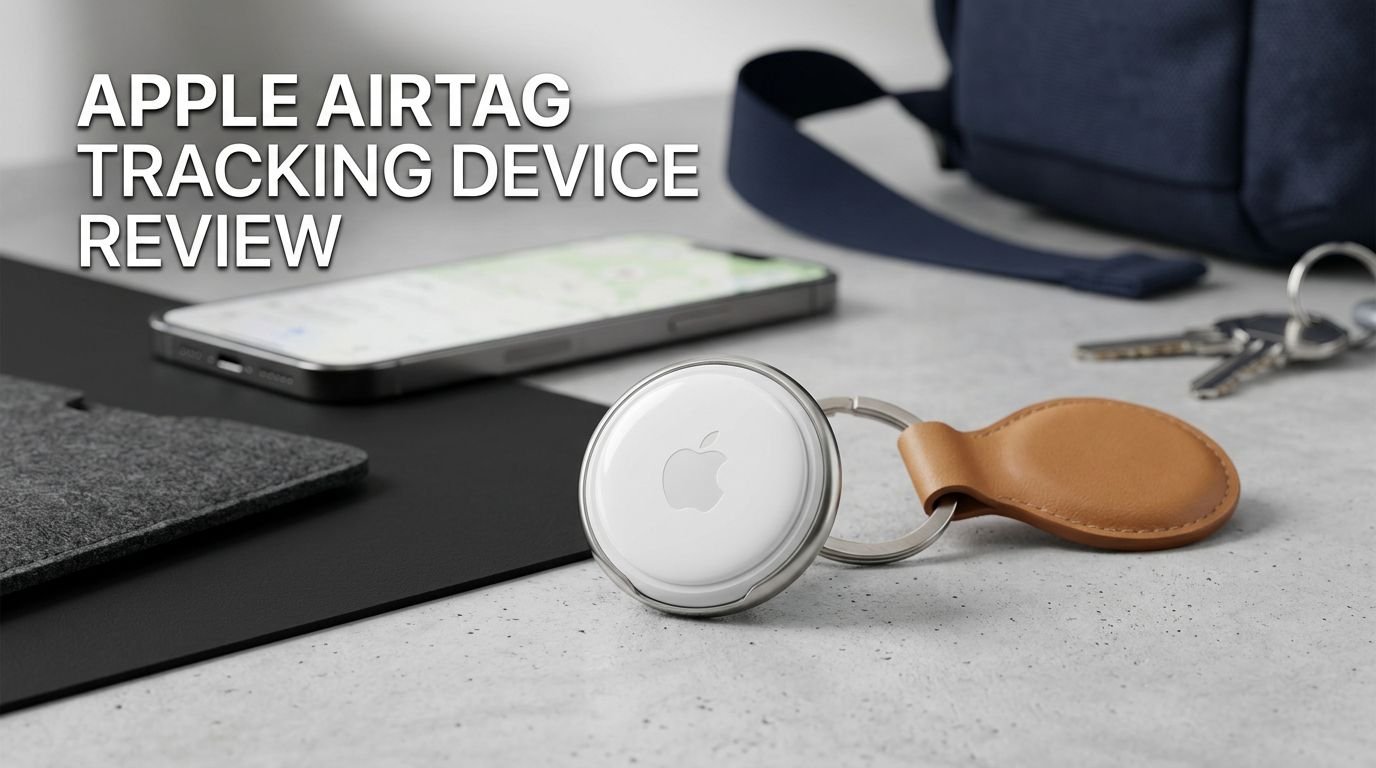
Apple AirTag Tracking Device Review 2026: A Scam or Legit?
You lost your keys again. Your luggage went missing at the airport. Your backpack vanished at the coffee shop. Sound familiar?
The Apple AirTag has been solving these exact problems since 2021. And now, Apple has released the second-generation AirTag with a louder speaker, longer range, and Apple Watch support.
But is it worth your money in 2026? Does it actually work better than the original? And should Android users even bother looking at it?
Key Takeaways:
- The Apple AirTag 2nd generation costs $29 for a single unit and $99 for a four-pack. It maintains the same price as the original, which makes upgrading an easy decision for new buyers.
- Precision Finding range has more than doubled. In real-world testing, the new AirTag was detected from over 110 feet away, compared to roughly 42 feet on the first-generation model. This is thanks to the second-generation Ultra Wideband chip.
- The speaker is 50% louder than the original AirTag. The new chime peaks at around 77.5 dBA, compared to 67.3 dBA on the first version. This makes finding misplaced items in cluttered spaces much easier.
- Apple Watch Precision Finding is now supported on Apple Watch Series 9 and later, including Apple Watch Ultra 2 and Ultra 3. This feature requires WatchOS 26.2.1 or later.
- The AirTag still works only with Apple devices. Android users cannot set up or manage an AirTag. They can only receive alerts if an unknown AirTag is traveling with them.
- Battery life remains at about one year using a standard CR2032 coin cell battery. The battery is user-replaceable, so there is no need for charging cables or docks.


Last update on 2026-07-10 / Affiliate links / Images from Amazon Product Advertising API Some of the links on this website are affiliate links, which means that at no additional cost to you, I earn a commission if you click through and make a purchase. I only recommend products and services that I believe will add value to my readers. Thank you for your support!
What Is the Apple AirTag and How Does It Work?
The Apple AirTag is a small, coin-shaped Bluetooth tracker. It helps you find lost or misplaced items. You attach it to your keys, slide it into your wallet, or tuck it inside your luggage.
The AirTag connects to your iPhone through the Find My app. It sends out a Bluetooth signal that nearby Apple devices can detect. Those devices then relay the AirTag’s location back to you through Apple’s encrypted Find My network. This network includes over 1 billion active Apple devices worldwide.
The AirTag also uses Ultra Wideband (UWB) technology for Precision Finding. This gives you a directional arrow and distance reading on your iPhone screen. You literally get a “warmer/colder” style guide pointing you to your lost item.
The second-generation model released in January 2026 adds a newer UWB chip. This chip extends the Precision Finding range significantly. It also supports Precision Finding on compatible Apple Watch models for the first time.
Setup takes less than a minute. You pull the plastic tab, hold the AirTag near your iPhone, and follow the on-screen instructions. You can name it, assign an emoji, and start tracking right away.
Apple AirTag 2nd Generation Design and Build Quality
The AirTag 2nd generation looks identical to the original. It keeps the same white and polished stainless steel disc shape. The dimensions remain at 1.26 inches in diameter and 0.31 inches thick. The weight is 0.42 ounces, just slightly heavier than the first version.
Apple chose to keep the same design for a good reason. Millions of AirTag accessories already exist. Keychains, holders, pet collars, and luggage tags all fit the new model perfectly. You don’t need to buy new accessories.
One change is the material. The white plastic shell now uses 85% recycled resin. Apple continues to push its environmental goals with this update. The build still feels solid and premium.
The stainless steel back still has no built-in keyring hole. This means you still need a separate holder or case to attach it to items. Many users find this frustrating. However, Apple clearly wants third-party accessory makers to fill this gap.
You can tell the new model apart from the original by looking at the text on the back. The 2nd generation prints its text in all caps, except for the word “AirTag.” It’s a small but helpful detail for identification.
Top 3 Alternatives for Apple AirTag
1. Samsung Galaxy SmartTag2

Last update on 2026-07-10 / Affiliate links / Images from Amazon Product Advertising API Some of the links on this website are affiliate links, which means that at no additional cost to you, I earn a commission if you click through and make a purchase. I only recommend products and services that I believe will add value to my readers. Thank you for your support!
2. Tile Pro (2024)

Last update on 2026-07-10 / Affiliate links / Images from Amazon Product Advertising API Some of the links on this website are affiliate links, which means that at no additional cost to you, I earn a commission if you click through and make a purchase. I only recommend products and services that I believe will add value to my readers. Thank you for your support!
3. Chipolo ONE Spot

Last update on 2026-07-11 / Affiliate links / Images from Amazon Product Advertising API Some of the links on this website are affiliate links, which means that at no additional cost to you, I earn a commission if you click through and make a purchase. I only recommend products and services that I believe will add value to my readers. Thank you for your support!
Apple AirTag 2 Precision Finding and Tracking Range
The biggest upgrade in the AirTag 2nd generation is its expanded Precision Finding range. The new second-generation Ultra Wideband chip extends the tracking distance to roughly 60 meters (about 200 feet) under ideal conditions.
In real-world testing by CNET, the new AirTag was picked up by an iPhone from 110 feet away in an outdoor park setting. The directional green “you’re going the right way” screen appeared at 85 feet. The original AirTag, tested under the same conditions, was first detected at 42 feet with directional guidance appearing at just 37 feet.
This means the new AirTag is more than twice as easy to locate from a distance. For people who often lose items in large spaces like airports, parking lots, or office buildings, this improvement is huge.
Bluetooth connectivity has also been upgraded. The new AirTag is more discoverable to nearby iPhones. This means its location updates more frequently through the Find My network. Even if you’re far away, the network of surrounding Apple devices picks up your AirTag’s signal faster.
Keep in mind that walls, furniture, and crowds can affect range. Outdoor performance will always be better than indoor. But even indoors, testers found Precision Finding worked from 65 feet away through office walls.
Battery Life and Replacement
The Apple AirTag 2nd generation uses a standard CR2032 coin cell battery. Apple states the battery lasts more than one year with regular daily use. This matches the original AirTag’s battery life.
The CR2032 battery is cheap and easy to find. You can buy them at grocery stores, pharmacies, and online. A pack of replacement batteries costs less than $5. This keeps the long-term cost of owning an AirTag very low.
Replacing the battery takes about 10 seconds. You press down on the stainless steel back and twist counterclockwise. The cover pops off. You swap in a new battery and twist the cover back on. Your iPhone will notify you when the battery gets low.
Apple intentionally avoided making the AirTag rechargeable. A replaceable battery means zero downtime. You never have to plug it in or wait for it to charge. You swap the battery and immediately continue tracking.
Some competing trackers use rechargeable batteries. While eco-friendly, this means they go offline while charging. For a device meant to always be tracking your valuables, zero downtime is a major advantage.
The consistent CR2032 design also means the AirTag stays thin and light. It fits inside wallets, coin pockets, and slim accessories without adding bulk.
Apple Watch Precision Finding Support
One of the most exciting new features of the AirTag 2nd generation is Precision Finding on Apple Watch. This is a first for any AirTag model.
Supported Apple Watch models include the Series 9, Series 10, Series 11, Ultra 2, and Ultra 3. You need to run WatchOS 26.2.1 or later. This feature does not work on older Apple Watch models.
Setting it up requires a small extra step. You need to add the “Find AirTag” button to your Apple Watch Control Center. Open the Control Center, tap edit, and add the Find AirTag control. Once added, tapping it puts your watch into Precision Finding mode.
This feature is incredibly useful for quick searches. Imagine you’re rushing out the door and can’t find your keys. Instead of pulling out your iPhone, you raise your wrist and tap once. Your Apple Watch shows you the direction and distance to your AirTag.
In indoor testing, Apple Watch Precision Finding worked from 65 feet away. Performance is best when the watch is connected to Wi-Fi or your iPhone. Cellular-only connections may cause slight delays in location updates.
This feature alone could justify the upgrade for heavy Apple Watch users.
Privacy and Anti-Stalking Features
Apple has invested heavily in anti-stalking protections for the AirTag. These features remain strong in the 2nd generation.
If an unknown AirTag is moving with you, your iPhone will send you an alert. This alert tells you an AirTag separated from its owner has been traveling with you. You can then play a sound on the AirTag to find it and disable it.
Android users also get protection. Google and Apple worked together to create a cross-platform standard. Android phones running Android 6.0 or later can detect unwanted AirTags nearby. This was a major step forward for user safety.
The AirTag’s louder 2nd generation speaker also helps with anti-stalking. The 50% louder chime makes it harder for someone to hide an AirTag in your belongings without you hearing it. The old model was often criticized for being too quiet.
Apple uses end-to-end encryption for all Find My location data. No one, including Apple, can see your AirTag’s location. Only you and the devices linked to your Apple ID can access this information.
If you find an unknown AirTag, you can tap it with your iPhone or any NFC-capable phone. This shows the AirTag’s serial number and instructions for disabling it. You can also contact law enforcement if you believe someone is tracking you.
Setting Up Your Apple AirTag: Step-by-Step
Setting up an AirTag is one of the easiest tech experiences you’ll have. The entire process takes less than 60 seconds.
First, remove the plastic tab from the AirTag. This activates the battery. You’ll hear a small chime confirming the AirTag is powered on.
Next, hold the AirTag close to your iPhone. A setup card will automatically appear on your screen. Tap “Connect” to begin pairing.
You then name your AirTag. Apple offers preset names like Keys, Wallet, Backpack, Luggage, and more. You can also create a custom name. Choose an emoji to make it easy to identify in the Find My app.
The AirTag links to your Apple ID automatically. It appears in the Items tab of the Find My app. From here, you can see its last known location on a map, play a sound, or use Precision Finding.
You can also enable Lost Mode. This lets you add a phone number or email address. If someone finds your AirTag, they can tap it with their phone to see your contact information. You’ll also receive a notification when the AirTag is detected by the Find My network.
The whole process requires no additional apps beyond Find My, which comes pre-installed on every iPhone. There are no subscriptions, no accounts to create, and no recurring fees.
Real-World Uses: Where the AirTag Shines
The AirTag fits into daily life in many practical ways. Its small size and reliable tracking make it useful for dozens of scenarios.
Luggage tracking is one of the most popular uses. Airlines lose millions of bags every year. Slipping an AirTag into your checked bag lets you track its location throughout your journey. You can see if your bag made it onto the plane or if it’s sitting in a different city.
Key tracking is the original use case. Attach the AirTag to your keyring with a holder. The next time your keys slip between the couch cushions, open Find My and play a sound. Precision Finding guides you straight to them.
Pet collars are another common use. While Apple doesn’t officially recommend AirTags for pets, many owners attach them to collars as a backup tracker. The expanded range on the 2nd generation makes this even more practical.
Vehicle tracking works well too. Leave an AirTag in your car’s glove compartment. If your car is stolen or you forget where you parked, the Find My network can help you locate it.
Children’s backpacks give parents extra peace of mind. Slip an AirTag into a zipper pocket. You can check the bag’s location during school trips or commutes.
The AirTag’s year-long battery and zero subscription cost make it a set-and-forget device for all these scenarios.
AirTag 2 vs. Original AirTag: Should You Upgrade?

Last update on 2026-07-10 / Affiliate links / Images from Amazon Product Advertising API Some of the links on this website are affiliate links, which means that at no additional cost to you, I earn a commission if you click through and make a purchase. I only recommend products and services that I believe will add value to my readers. Thank you for your support!
The original AirTag still works very well. It uses the same Find My network and the same app. It tracks items reliably and has the same one-year battery life.
The 2nd generation improves three main areas: range, speaker volume, and Apple Watch support. If you use Precision Finding often, the doubled range is a real benefit. If you struggle to hear the AirTag’s chime in noisy environments, the louder speaker helps.
Apple Watch Precision Finding is exclusive to the 2nd generation. If you wear an Apple Watch daily, this feature adds genuine convenience. Raising your wrist to find your keys is faster than pulling out your phone.
If you already own the original AirTag, there is no urgent reason to replace it. The original still works great for luggage, vehicles, and items you don’t frequently misplace.
However, for your most-used items like keys and everyday bags, the 2nd generation is a worthwhile upgrade. The faster detection and longer range save real time when you’re in a rush.
For first-time buyers, the choice is simple. The 2nd generation costs the same $29 as the original. There is no reason to buy the older model at full price. Get the new one.
Apple AirTag vs. Samsung Galaxy SmartTag2
The Samsung Galaxy SmartTag2 is the AirTag’s closest competitor. It costs about $27 for a single unit. It uses Samsung’s SmartThings Find network instead of Apple’s Find My.
The SmartTag2 has a built-in keyring hole. This is a clear design advantage over the AirTag. You don’t need an extra accessory to attach it to your keys.
Samsung’s tracker has an IP67 water and dust resistance rating, matching the AirTag. Battery life is slightly longer at 1.5 years using a CR2025 battery.
The SmartTag2 also supports Ultra Wideband for directional finding. However, this feature only works with select Samsung Galaxy phones. If you own a Pixel, OnePlus, or other Android phone, you lose the UWB feature.
Apple’s Find My network is significantly larger than Samsung’s SmartThings Find network. Over 1 billion Apple devices relay AirTag signals worldwide. Samsung’s network is smaller, which can mean slower location updates in some areas.
If you own an iPhone, the AirTag is the clear winner. If you own a Samsung Galaxy phone, the SmartTag2 is your best choice. The decision comes down to your phone ecosystem.
Who Should Buy the Apple AirTag in 2026?
The Apple AirTag is perfect for anyone in the Apple ecosystem. If you own an iPhone, this is the best Bluetooth tracker available. The Find My network gives it unmatched global coverage.
Frequent travelers benefit the most. Luggage tracking with AirTags has become almost essential. Airlines around the world now accept AirTags in checked bags. The peace of mind alone is worth $29.
Parents who want to track backpacks, bikes, or other belongings find the AirTag reliable and simple. The no-subscription model means zero ongoing costs after the initial purchase.
Pet owners use AirTags as backup trackers alongside dedicated GPS pet trackers. The longer range on the 2nd generation makes it more practical for finding a pet who has wandered away.
Students and commuters who frequently misplace items benefit from the quick Precision Finding feature. The Apple Watch support makes this even faster.
The AirTag is not ideal for Android users. Without an iPhone, you cannot set up, manage, or use Precision Finding with an AirTag. Android users should look at Samsung SmartTag2 or Tile Pro instead.
It’s also not a real-time GPS tracker. The AirTag relies on nearby Apple devices to relay its location. In remote areas with few iPhones, tracking may be delayed.
Pros and Cons of the Apple AirTag 2nd Generation
The Apple AirTag 2nd generation has many strengths. The expanded Precision Finding range is the standout improvement. It makes locating items genuinely faster and easier than before.
The louder speaker is a welcome upgrade. Finding a quiet AirTag under a pile of clothes or inside a bag was frustrating with the original. The new chime solves this problem effectively.
Apple Watch support adds a new layer of convenience. It’s one of those features that feels small until you use it daily. Then it becomes hard to live without.
The same $29 price as the original is excellent. Apple could have charged more for the upgraded internals. Keeping the price steady makes this a great value.
No subscription fees set the AirTag apart from some Tile trackers that require paid plans for premium features. Everything the AirTag does is free after purchase.
On the downside, there is still no built-in keyring hole. After five years, this omission remains puzzling. You still need to buy a $10 to $30 holder.
iPhone exclusivity limits the audience. A large portion of the smartphone market uses Android. These users cannot benefit from the AirTag.
The AirTag also lacks real-time GPS. It depends entirely on the crowdsourced Find My network. In rural areas, this can mean delayed or inaccurate location updates.
Is the Apple AirTag Worth It in 2026?
Yes. The Apple AirTag 2nd generation is the best Bluetooth tracker for iPhone users in 2026. The improved range, louder speaker, and Apple Watch support make it better than the already-excellent original.
At $29, it costs less than a dinner for two. The zero subscription model means you pay once and track forever. A $5 battery replacement once a year is the only ongoing cost.
The Find My network remains the AirTag’s greatest asset. No competitor matches its global reach. With over a billion devices relaying signals, your AirTag has the best chance of being found no matter where it ends up.
For anyone who has ever lost keys, misplaced a bag, or anxiously waited at an airport baggage carousel, the AirTag offers real, practical value. It’s not a luxury gadget. It’s a small insurance policy for your most important items.
First-time buyers should grab the 2nd generation without hesitation. Existing AirTag owners can upgrade at their own pace, prioritizing their most-used items first.
Frequently Asked Questions
Does the Apple AirTag work with Android phones?
No. You need an iPhone to set up, manage, and use Precision Finding with an AirTag. Android phones can only detect unknown AirTags traveling with them as a safety feature. For Android users, the Samsung Galaxy SmartTag2 or Tile Pro are better alternatives.
How far can the Apple AirTag 2nd generation track?
The Precision Finding range extends to about 60 meters (roughly 200 feet) under ideal outdoor conditions. In real-world testing, the AirTag was detected from over 110 feet away. Indoor range is shorter but still reached about 65 feet in office environments.
How long does the Apple AirTag battery last?
Apple states the battery lasts more than one year with normal daily use. The AirTag uses a standard CR2032 coin cell battery. Replacement batteries cost under $5 and take about 10 seconds to swap.
Can I use an AirTag to track my pet?
Apple does not officially recommend AirTags for pet tracking. However, many pet owners attach them to collars as a backup. The AirTag is not a real-time GPS tracker. It relies on nearby Apple devices to relay its location. Dedicated pet GPS trackers offer continuous, real-time tracking.
Is the Apple AirTag waterproof?
The AirTag has an IP67 rating. This means it can survive submersion in water up to 1 meter deep for 30 minutes. It handles rain, splashes, and accidental drops into water. However, it is not designed for swimming or prolonged underwater use.
How much does the Apple AirTag 2nd generation cost?
A single Apple AirTag 2nd generation costs $29. A four-pack costs $99, saving you $17 compared to buying four individually. You can also get free engraving when ordering directly from Apple’s website.
Can someone use an AirTag to track me without my knowledge?
Apple has built-in anti-stalking protections. Your iPhone will alert you if an unknown AirTag is traveling with you. Android phones can also detect unwanted AirTags. The louder speaker on the 2nd generation makes hidden AirTags easier to hear. You can disable any unknown AirTag by removing its battery.

Hi, I’m Marie Bennett, the founder of PackSmart.blog.
I write about travel essentials and Amazon gear reviews to help you pack smarter and travel lighter.
From must-have accessories to space-saving gadgets, I test and share what truly works on the road.
My mission is to make every trip stress-free and organized for travelers like you.
Join me as I explore smarter ways to travel—one bag at a time.